Download the Amotions AI desktop app
Real-time coaching and insights, live during your meetings — now on Mac and Windows. Install once and the app listens automatically whenever you're in a Zoom, Microsoft Teams, or Google Meet meeting. For phone calls, dialer calls, and in-person meetings, or if it doesn't start, click the purple triangle (Start) in the app.
Download for macOS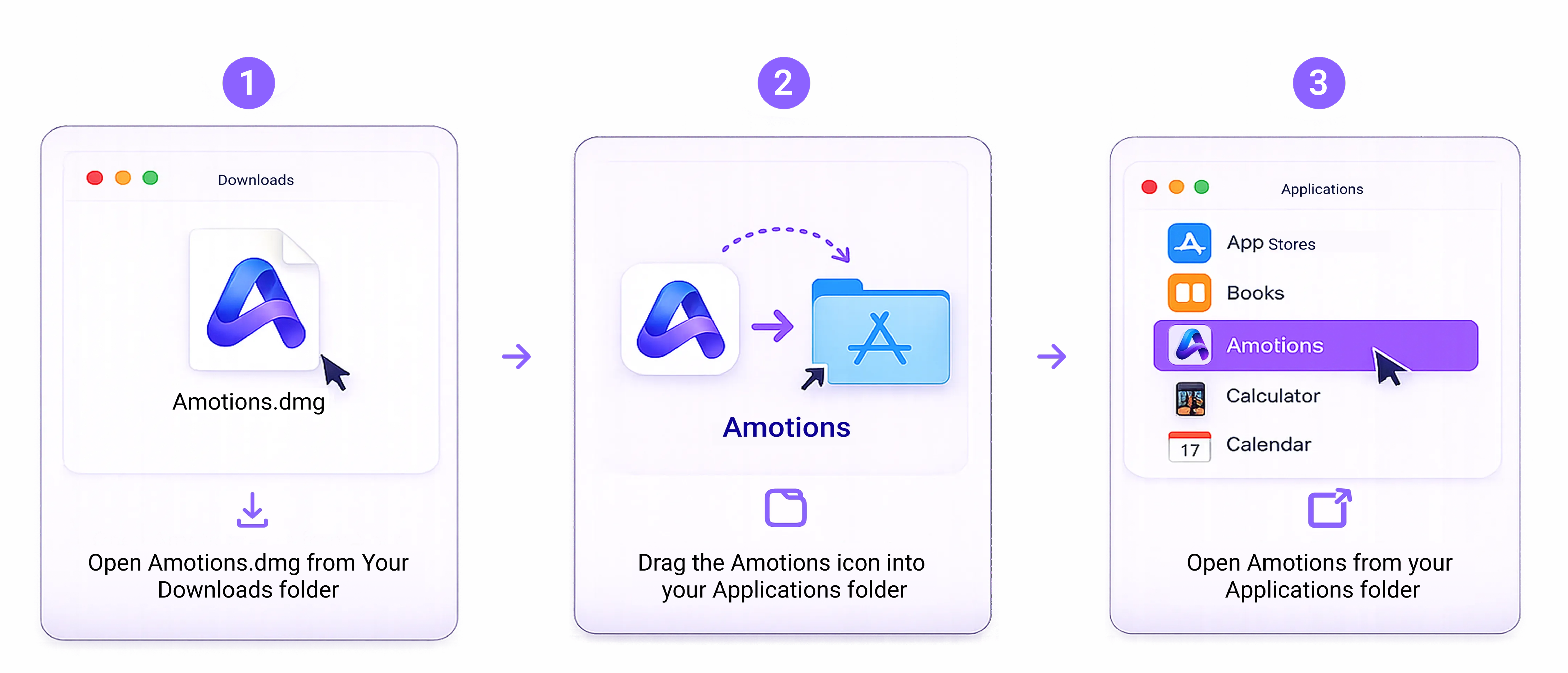
NOW ON MAC & WINDOWS
Private real-time AI coaching on your desktop — live coaching on discovery, objection handling, answering technical questions, plus post-meeting transcript and scores
Most AI meeting assistants join your calls as another participant. They record meetings, take notes, and summarize what happened afterward.
Amotions AI takes a different approach.
Our new Desktop App runs quietly on your computer. It doesn't join your meetings as another participant.
Instead, it becomes your private AI conversation strategist - working only for you and invisible to others.
Simply install and launch it once. On Mac and Windows, Amotions AI starts listening automatically whenever you're in a Zoom, Microsoft Teams, or Google Meet meeting. For phone calls, dialer calls, and in-person meetings, or if it doesn't start, click the purple triangle (Start) in the top-right of the app.
You can also adjust the size and position of the coaching panel—move it anywhere on your screen, switch between horizontal and vertical layouts, or minimize it to a compact view that's easy to glance at while you stay focused on the conversation.
How to start listening
Once you have installed and launched the desktop app, click the purple triangle to start listening on phone calls, dialer calls, and in-person meetings, or on a video call if it does not start automatically. The Start button sits in the top-right of the app window, next to Home and Settings. Watch the walkthrough below for how to use the app.
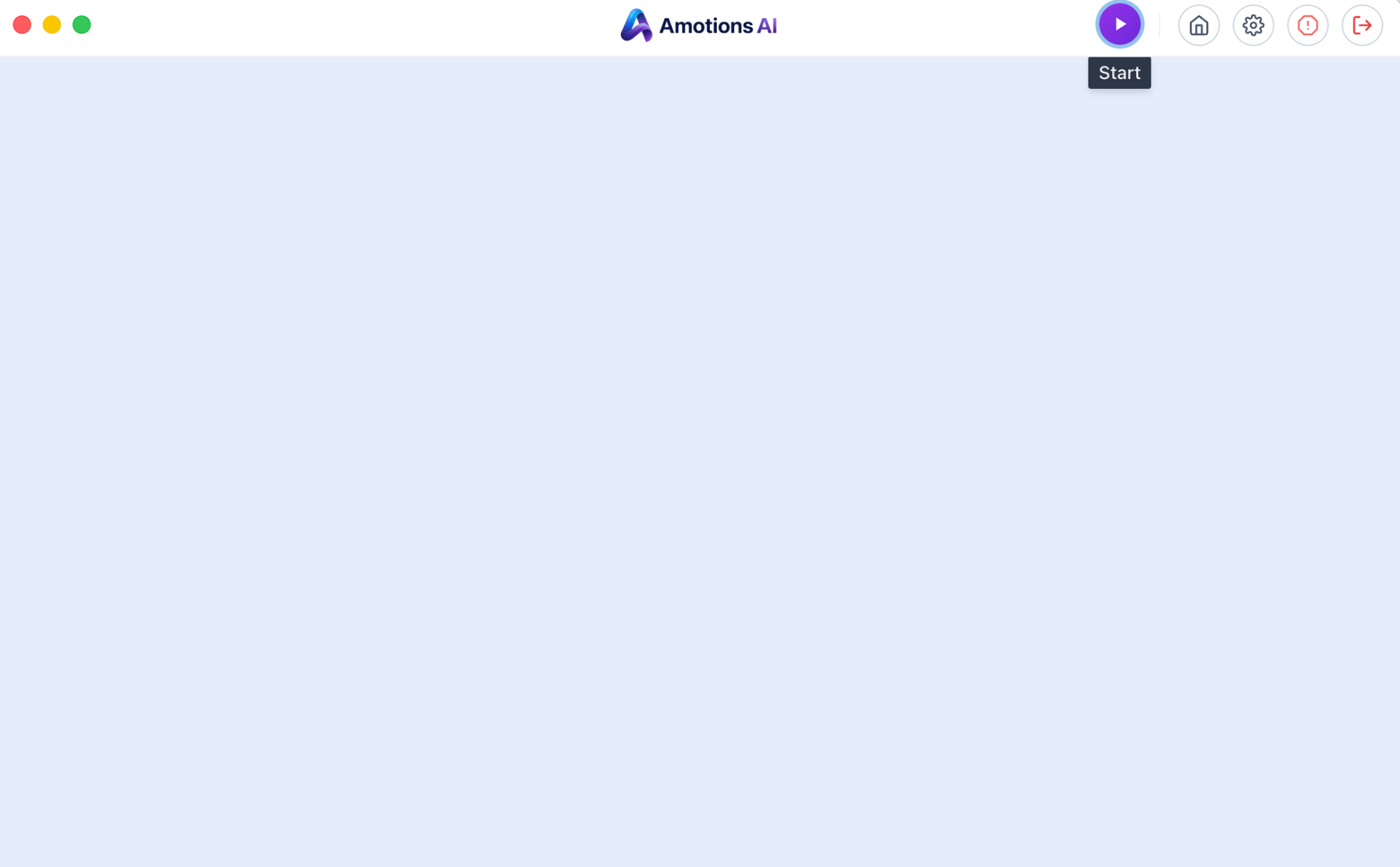
The purple triangle in the top-right of the desktop app is the Start button. Click it to begin listening on phone calls, dialer calls, and in-person meetings, or if the app does not start automatically on a video call.
See what the desktop app looks like in a meeting
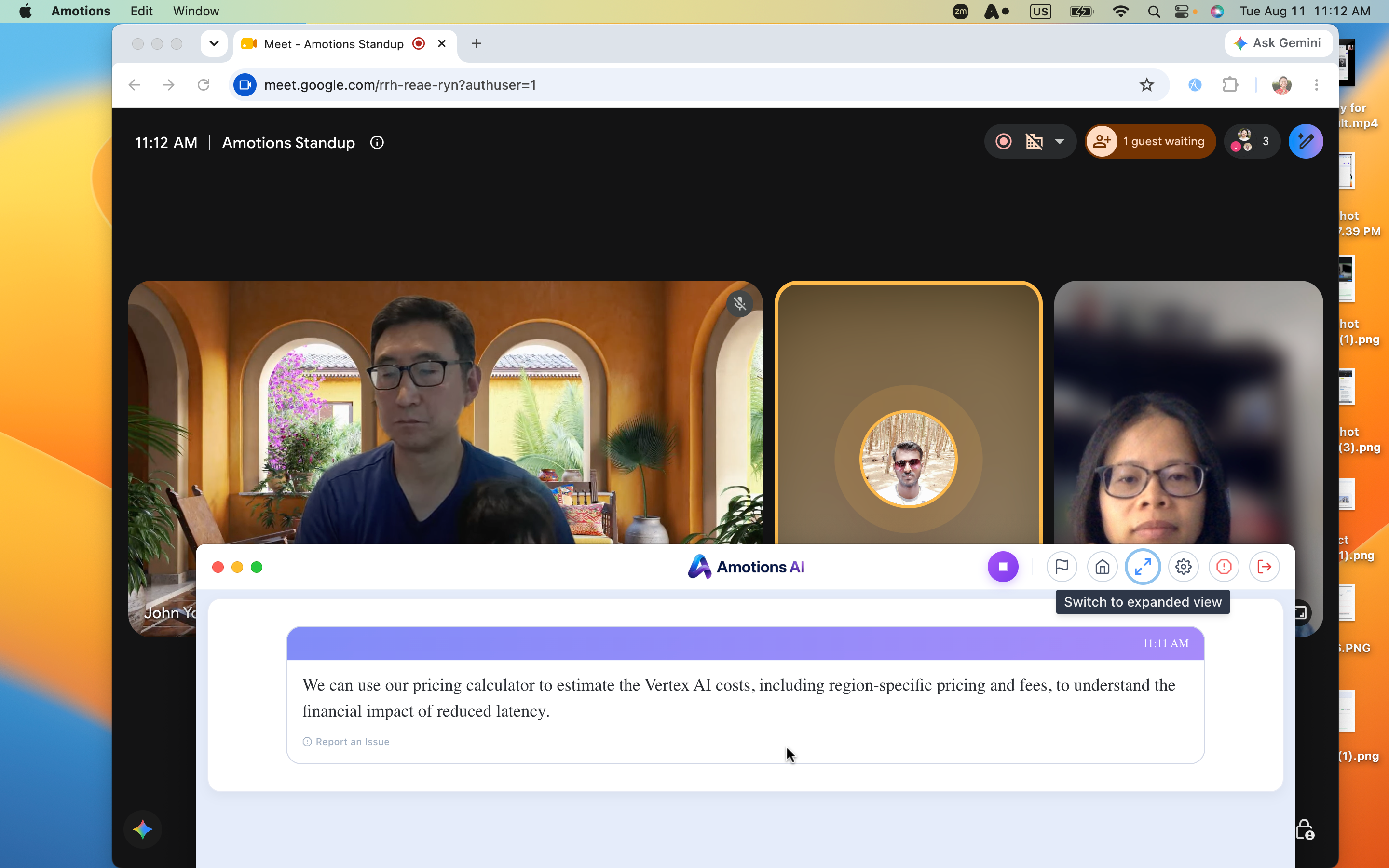
Minimize the coaching panel to a compact floating view—position it anywhere on your screen and glance at suggestions without losing focus on the meeting.
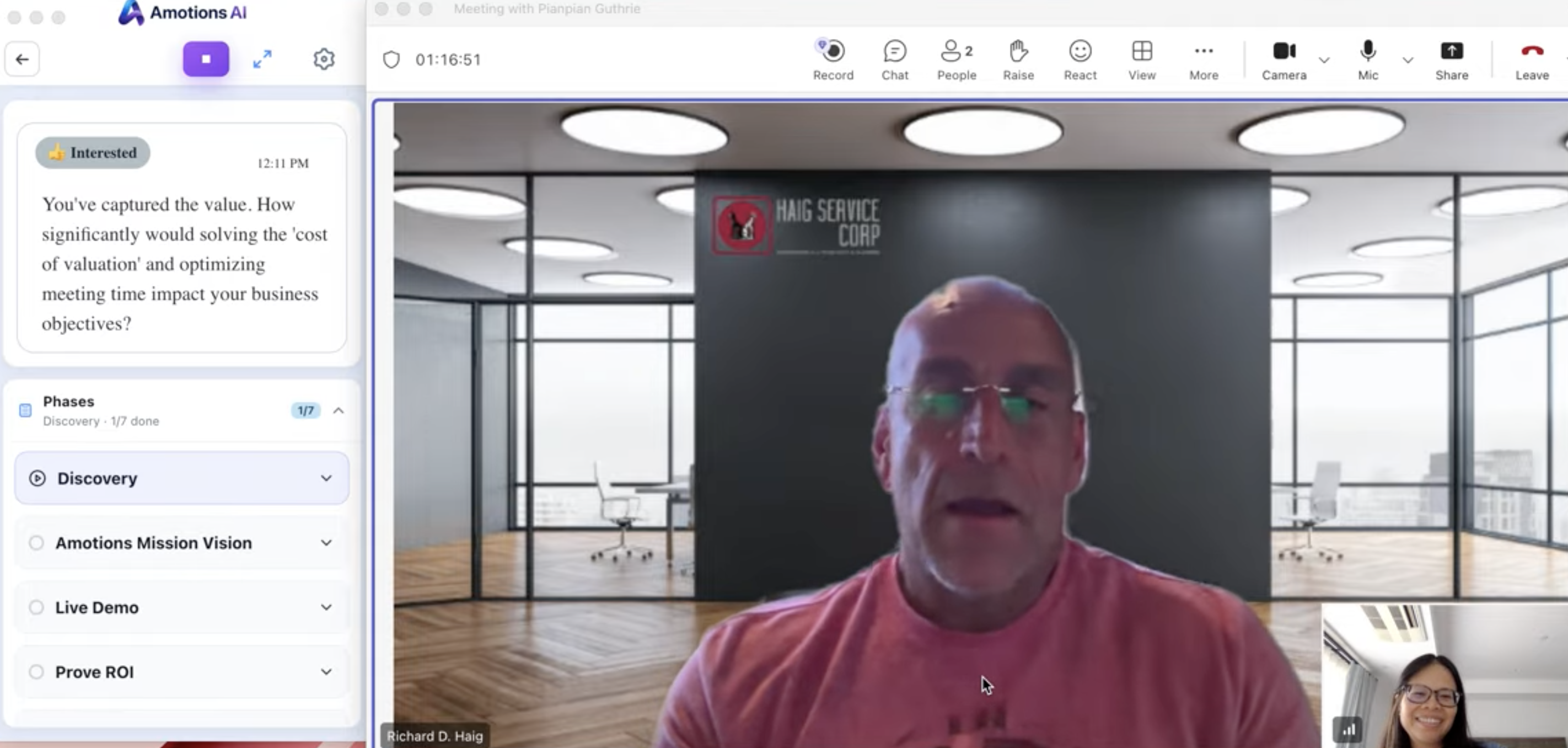
Switch to a vertical sidebar layout with live coaching suggestions and meeting phase tracking, docked beside your call.
As your meeting unfolds, Amotions AI:
Automatically listens in the background on Zoom, Microsoft Teams, and Google Meet, on Mac and Windows. For phone calls, dialer calls, and in-person meetings, or if it does not start on its own, click the purple Start triangle.
Stays invisible to everyone else—no meeting bot joins your calls.
Provides real-time guidance while the conversation is happening.
Resize and reposition the coaching panel anywhere on your screen—minimize it to a compact, glanceable view so you can read suggestions without losing focus on the meeting.
Helps you understand your customer's concerns, emotions, and buying signals.
Suggests better questions, next best actions, answers to technical questions, and objection handling, powered by your company's knowledge and best practices.
Automatically creates transcripts and meeting notes for every conversation.
Generates AI summaries, coaching, conversation scores, and actionable insights after every meeting.
Think of it as having your best sales coach, psychologist, product expert, technical expert, and strategist sitting beside you—helping only you throughout every conversation.